
For iPhone and iPad
Every video has a story.
Overtell watches your clip, finds the story and tells it — in its words, or in yours. Narration, captions and transcripts, made entirely on your device. Nothing is uploaded.
Coming soon to the App Store
See how it works
Five ways in
Narrate it, caption it, or write it yourself.
Pick what you need on Overtell’s first screen.
Video Narration
Overtell watches your video, writes its story and speaks it, with captions.
Captions Only
Overtell writes the story and shows it as captions. No voice; the video keeps its own sound.
Write Your Own Script
You write the lines, scene by scene. Overtell times them and speaks them.
Video to Transcription
The words spoken in your video become text, subtitles or burned-in captions.
Audio to Transcription
Record now or pick an audio file. The words spoken become text and subtitles.
From clip to finished video
Four steps. Stop to read and change things along the way.
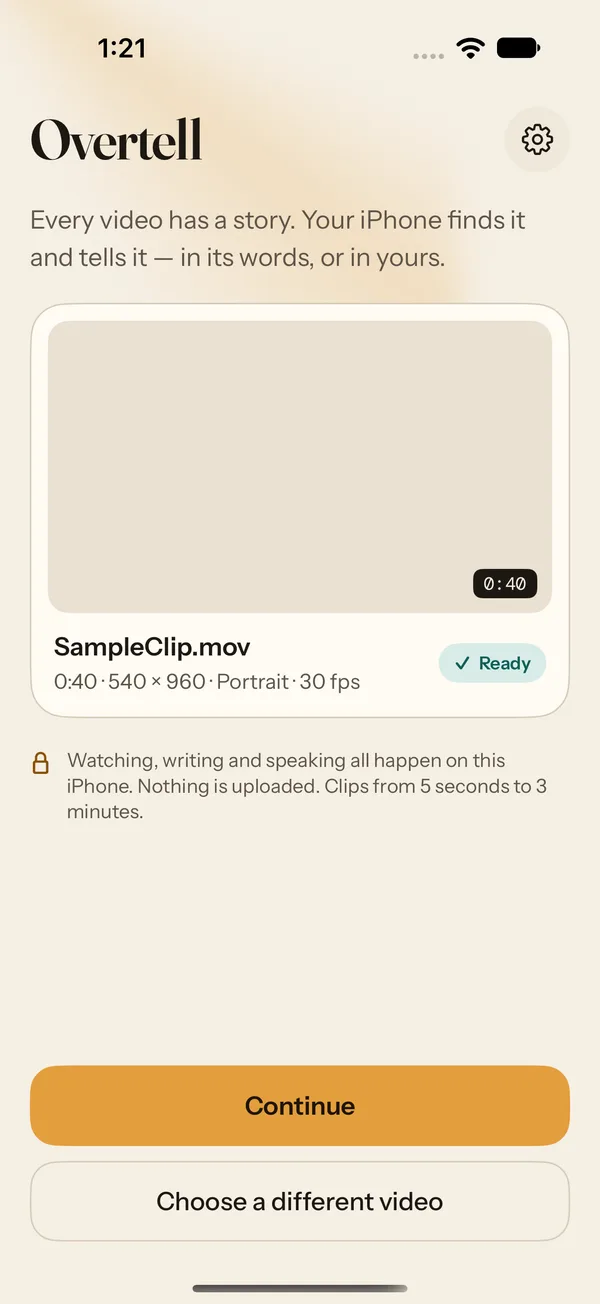
Step 1
Pick a clip
Choose a video from Photos, or record or pick audio. Clips from 5 seconds to 3 minutes. Overtell works on its own copy.
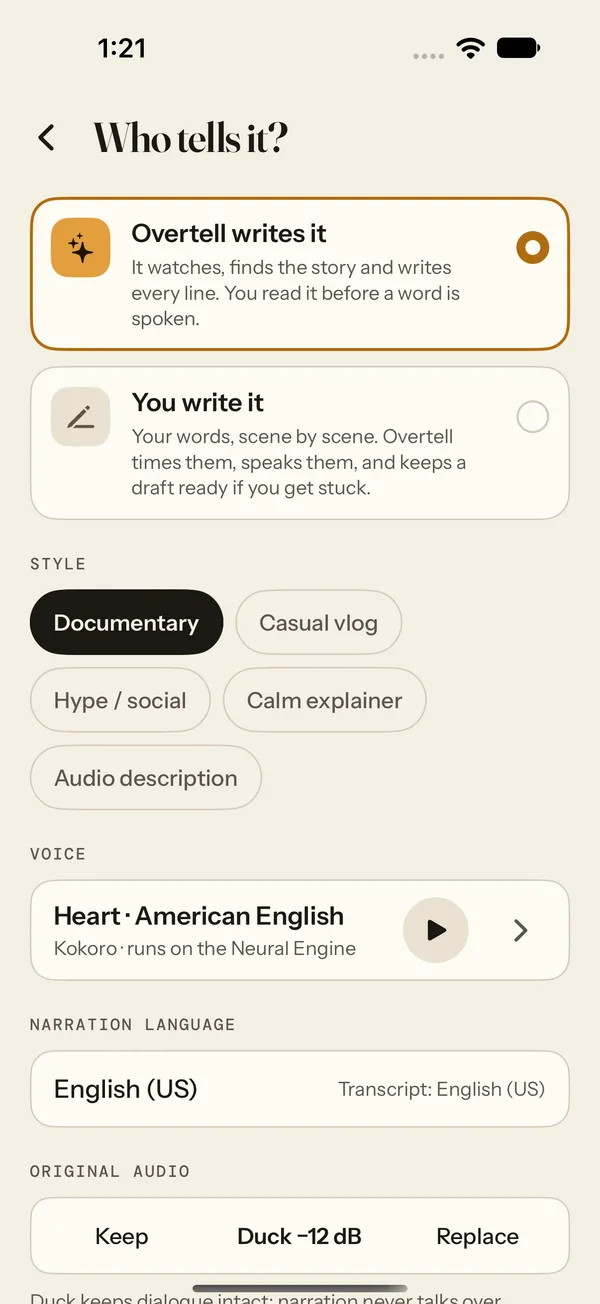
Step 2
Choose how it’s told
Pick a style and a voice, or write the lines yourself. Keep the clip’s own sound, duck it under the narration, or replace it.
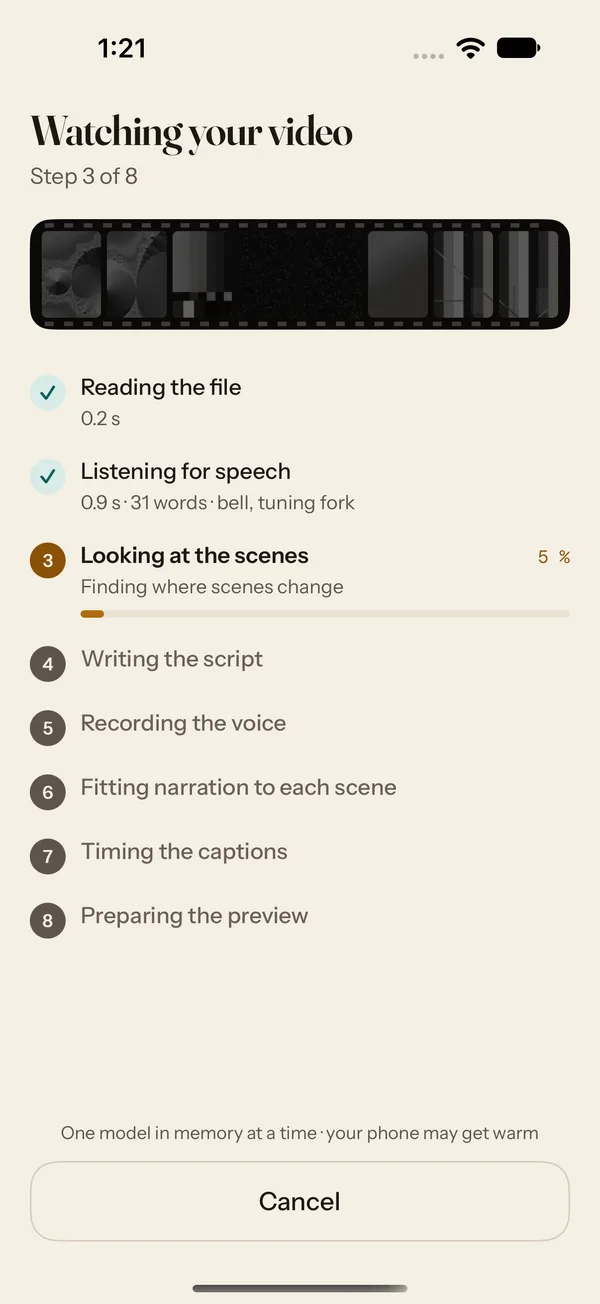
Step 3
Overtell watches
It reads the file, listens for speech, looks at every scene and writes the story — one model at a time, all on your device.
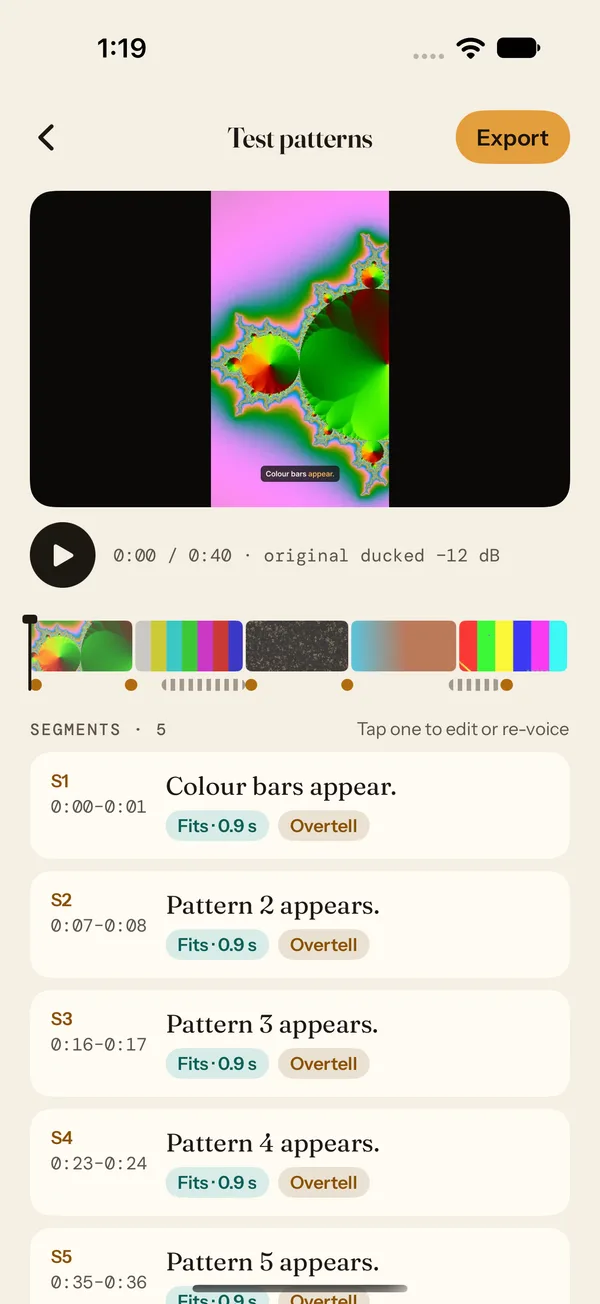
Step 4
Edit, then export
Read the story before a word is spoken. Change any line, move a cut, then save the finished video to Photos or share it.


Who tells it?
In its words, or in yours.
Let Overtell write the narration, or write it yourself. Either way it’s timed to each scene and spoken on your device.
Overtell writes it
It watches, finds the story and writes every line. You read it before a word is spoken — change it in your own words, or have it written again.
You write it
Your words, scene by scene. Overtell times them, speaks them, and keeps a draft ready underneath if you get stuck. Leave a scene empty and it stays quiet.
Styles
- Documentary
- Casual vlog
- Hype / social
- Calm explainer
- Audio description
Keep the clip’s own sound or duck it, and narration never talks over the speech it hears. Or speak it in your own voice: read three short sentences aloud once, and Overtell makes your voice on the device.

Captions and transcripts
Every word, on screen and on time.
Captions follow the speech, word by word. Transcripts find the language for themselves and put it into English.
Captions
- Presets: Bold · bottom, Minimal, Karaoke
- Font, size and position
- Highlight the word being spoken, karaoke-style, or not at all
- Burned into the video, or as an SRT subtitle file
Transcripts
- Works out which language is spoken
- Times every word
- Puts other languages into English, on device
- Copy, share as text or SRT, or burn in as captions
It all stays on your device
Your videos never leave your hands.
Nothing is uploaded
Watching, listening, writing and speaking all happen on your iPhone or iPad. No footage, audio, transcript or script is sent anywhere.
No account, no tracking
There is no sign-in, no analytics, no advertising and no crash reporting.
Models, checked
Each AI model is downloaded once, at a fixed version, and every file is checked before it’s used. Overtell asks first and shows the size.
Yours to manage
See, download or delete models any time in Settings. Deleting Overtell removes everything it downloaded.
Pricing
Try everything for a day. Pay once if you keep it.
Free day
Free
Download Overtell and use all of it for 24 hours once you start the free day.
Unlock
US$29.99
Bought once, yours to keep. Start new videos and export, for good. Restore it on any device with your Apple Account.
No subscription. Prices outside the US are set by the App Store.
What you need
- Devices
- iPhone 15 Pro or later, or an iPad with 8 GB of memory
- Software
- iOS or iPadOS 26 or later
- Storage
- About 2 GB of AI models to start; about 4.6 GB for everything, or 7.7 GB with the higher-quality model on 12 GB devices
- Clips
- 5 seconds to 3 minutes, video or audio
Questions
Before you start.
Which iPhones and iPads can run Overtell?
Overtell needs iOS or iPadOS 26 and a device with 8 GB of memory: iPhone 15 Pro or later, or an iPad with 8 GB of memory or more. The AI models that watch, write and speak run on the device itself, and they need that much room.
The App Store offers Overtell only to devices that can run it. If an older device has it anyway, Overtell shows a screen saying the device isn’t supported.
Why does Overtell download so much the first time?
The AI models live on your device instead of on a server, so each one is downloaded once — about 2 GB for your first narration, and about 4.6 GB if you use every feature (7.7 GB on devices with 12 GB of memory, which can also use a higher-quality model). Overtell shows the size and asks before it downloads anything. Models aren’t included in iCloud backups, so after restoring a device Overtell downloads them again when you need them.
Downloads wait for Wi-Fi unless you say otherwise in Settings. You can see, download or delete models any time in Settings; deleting Overtell removes every model it downloaded.
How much does Overtell cost?
Overtell is free to download. You can use all of it free for one day once you start the free day, then a one-time unlock of US$29.99 (or your App Store’s local price) lets you start new videos and export. It is bought once — there is no subscription.
Does Overtell upload my videos?
No. Watching, listening, translating, writing the script and speaking it all happen on your device. No footage, audio, transcript, translation or script is sent anywhere. The full details are in the Privacy Policy.
Lights down. Your story’s on.
Overtell is coming to iPhone and iPad. Free to download, free for a day, yours for good with one purchase.
Coming soon to the App Store